

To sell on AJIO, you need to register at seller.ajio.com, submit your GSTIN, PAN, and bank details, get brand approval from AJIO’s category team, and then activate your AJIO seller login. The full process typically takes 7–15 working days from document submission to account activation.
AJIO, backed by Reliance Retail, is one of India’s most trusted fashion and lifestyle marketplaces. It receives over 3 crore visits per month and is known for attracting quality-conscious buyers willing to pay premium prices. Whether you’re a clothing manufacturer in Surat, a footwear brand in Agra, or a lifestyle accessories business in Mumbai — AJIO gives you access to a high-intent audience that’s hard to reach anywhere else.
This guide covers everything: the AJIO seller registration process, required documents, AJIO seller portal walkthrough, commission structures by category, and how to fix the most common registration issues.
Why Sell on AJIO? Key Benefits for Indian Sellers
AJIO isn’t an open marketplace where anyone can list anything. It’s a curated platform — and that’s exactly what makes it valuable for sellers who get in.
Because AJIO vets its sellers and maintains high catalog standards, buyers trust the products they see. This translates into better conversion rates and a higher average order value (AOV) compared to general marketplaces. From what we see with clients who sell across multiple platforms, AJIO consistently delivers stronger per-order revenue for fashion and lifestyle categories.
Key Benefits for Indian Sellers
- Massive Reach: Access millions of shoppers across India, with strong demand from Tier-1 cities like Delhi, Mumbai, Bengaluru, and Hyderabad.
- Brand Credibility: Being listed on AJIO signals quality — it gives your brand a premium positioning that open marketplaces can’t offer.
- Marketing Support: AJIO runs regular sale events (End of Reason Sale, Brand Days) that give your products massive visibility without you spending on ads.
- Competitive Commission Structures: AJIO’s commissions are structured by category and are generally competitive with other fashion marketplaces.
- High-Quality Buyer Base: AJIO attracts fashion-forward, quality-conscious shoppers — ideal if you sell premium or branded products.
- Two Business Models: Choose between B2B bulk supply or dropship based on your logistics capability.
Who Should Sell on AJIO?
AJIO is best suited for sellers who have a registered brand or a valid brand authorization letter. It works especially well for clothing, footwear, accessories, kids’ fashion, and home lifestyle products. If you’re a reseller or distributor, you can still register — but you’ll need a formal authorization letter from the brand owner.
If you sell commodity items without brand identity, AJIO may not be the right fit. The platform prioritises curated, high-quality catalog over pure volume.
Documents Required for AJIO Seller Registration
AJIO only approves legitimate businesses. Before you start the registration, get all your documents ready — incomplete or mismatched paperwork is the most common reason for delays.
| Document | Details | Mandatory? |
|---|---|---|
| GSTIN Certificate | 15-digit GST Identification Number for your business | Yes |
| PAN Card | Business PAN (for companies/LLPs) or Personal PAN (for proprietorships) | Yes |
| Cancelled Cheque / Bank Statement | For payment processing and account verification — name on account must match GST registration | Yes |
| Aadhaar Card | 12-digit UID for identity and address verification of the proprietor/director | Yes |
| Trademark Certificate | Required if you are a brand owner selling your own label | Recommended |
| Brand Authorization Letter | Required if you are a distributor or reseller selling someone else’s brand | If reseller |
| MSME Certificate | Udyam registration — boosts credibility and may speed up approval | Optional |
Important: Make sure the business name on your GSTIN exactly matches your bank account. Mismatches here are the #1 cause of document rejection.
AJIO Seller Registration: Step-by-Step Process
Here is the complete AJIO seller registration process from start to account activation.
Step 1 – Visit the AJIO Seller Portal
Go to seller.ajio.com — this is the official AJIO Seller Central portal where all your seller operations will happen. Click on “Register” or “New Seller? Sign Up” to begin.
You can also register via Reliance’s supplier portal at supplierregistration.ril.com if you’re applying as a bulk supplier (B2B model).
Step 2 – Enter Business Details & Verify via OTP
Fill in your basic business information: your full legal name, registered email address, and mobile number. AJIO will send an OTP to verify both your email and phone. Enter the OTPs to confirm your details and proceed.
Use the email address you’ll actively monitor — all AJIO seller communications, approvals, and performance alerts will come here.
Step 3 – Submit Required Documents
Upload scanned copies of all the documents listed in the table above. Ensure every document is clear, current, and legible. Blurry uploads or expired GST certificates will trigger rejection without explanation.
A common mistake businesses make at this stage is uploading a personal PAN when the GST registration is under a company name. Always double-check that your PAN type (business vs. personal) matches your business structure.
Step 4 – Brand Approval & Category Mapping
This is the most important step — and the one most guides skip over.
AJIO requires brand approval before you can list products. This is different from most marketplaces. Here’s how it works:
- If you own your brand: Submit your Trademark Registration Certificate. AJIO’s category team will verify it and map you to the relevant product categories.
- If you are a distributor or reseller: You must submit a brand authorization letter from the original brand owner, on their letterhead, with their signature. Without this, your application will be rejected regardless of how complete your other documents are.
Category mapping also happens at this stage — AJIO will assign you to approved product categories (e.g., men’s clothing, women’s footwear, kids’ fashion). Only list products within your approved categories.
Step 5 – Account Activation & AJIO Seller Login Setup
Once AJIO reviews and approves your documents and brand, your AJIO seller account is activated. You’ll receive a confirmation email with your login credentials. The typical approval timeline is 7–15 working days from the date of complete document submission.
After activation, log in at seller.ajio.com using the email and password you set during registration. This is your AJIO seller login — keep these credentials safe.
AJIO Seller Login: How to Access Your Account
Once your AJIO seller account is active, the AJIO seller central login dashboard is where you’ll run your entire business on the platform.
Accessing the AJIO Seller Central Login
- Go to seller.ajio.com
- Click “Login” in the top right corner
- Enter the email address and password linked to your AJIO seller account
- Complete OTP verification if prompted (AJIO may require 2-step verification for security)
- You’ll land on the AJIO Seller Portal dashboard
If you’ve forgotten your password, use the “Forgot Password” link on the login page. The reset link is sent to your registered email within a few minutes. If you’re not receiving it, check your spam folder or contact AJIO seller support at the email listed in your registration confirmation.
Key Features of the AJIO Seller Portal
The AJIO seller portal is your command centre. Here’s what you can do from the dashboard:
- Product Listings: Create new listings, upload bulk catalogs using category-specific templates, edit existing product details, and manage pricing.
- Inventory Management: Update stock levels in real time. Low-stock alerts help you avoid overselling.
- Order Management: View incoming orders, confirm dispatch, generate invoices, and track shipment status all in one place.
- Payments & Settlements: Track payment cycles, view settlement reports, and reconcile transactions.
- Performance Analytics: See which products are selling, your return rates, customer ratings, and seller score.
- Returns Processing: Manage return requests and initiate quality checks before restocking returned items.
AJIO Commission Structures by Category [2026]
AJIO charges a commission on every sale, calculated as a percentage of the selling price. The rates vary by category. Below is a general reference — always verify the latest rates in your AJIO seller portal as these can be updated.
| Product Category | Approximate Commission Range |
|---|---|
| Men’s Clothing | 15% – 20% |
| Women’s Clothing | 15% – 22% |
| Footwear | 12% – 18% |
| Accessories (Bags, Jewellery) | 15% – 20% |
| Kids’ Fashion | 15% – 20% |
| Home & Lifestyle | 10% – 18% |
When setting your pricing on AJIO, factor in the commission rate, GST, and any packaging or shipping costs (depending on your business model). A common mistake is pricing without accounting for AJIO’s commission — and then finding your margin is too thin after the first few orders.
AJIO Business Models: B2B (JIT) vs. Dropship
AJIO offers two operating models for sellers. Choose based on your logistics capacity and how much control you want over fulfilment.
| Feature | AJIO B2B / JIT (Just-in-Time) | AJIO Dropship |
|---|---|---|
| How it works | You supply inventory in bulk to AJIO’s warehouse. AJIO handles delivery to customers. | You fulfil each order directly from your own warehouse or store. |
| Best for | Established sellers with consistent inventory and branded packaging | Sellers who want control over shipping and prefer to avoid bulk supply commitments |
| Packaging | AJIO-branded packaging | Your own packaging (must meet AJIO standards) |
| Delivery control | AJIO handles last-mile delivery | You arrange shipping (typically via approved courier partners) |
| Working capital | Higher upfront inventory commitment | Lower upfront commitment — ship per order |
For new sellers, Dropship is usually the easier starting point. It lets you test AJIO’s platform, understand buyer preferences, and build your seller score before committing to bulk B2B supply.
How to List Products: Image Standards & Catalog Quality
AJIO has stricter catalog quality standards than most Indian marketplaces. Your listing will be rejected if it doesn’t meet these requirements — and low-quality listings hurt your seller score even after approval.
Product Image Requirements
- Minimum resolution: 1000 x 1200 pixels (portrait orientation preferred for apparel)
- Background: pure white or as specified in AJIO’s category guidelines
- Format: JPEG or PNG, under 5 MB per image
- Minimum 3 images per product — front, back, and detail/close-up shots
- No watermarks, logos, or promotional text on product images
- For apparel: use a model or mannequin — flat-lay images are not accepted for most clothing categories
Catalog & Listing Best Practices
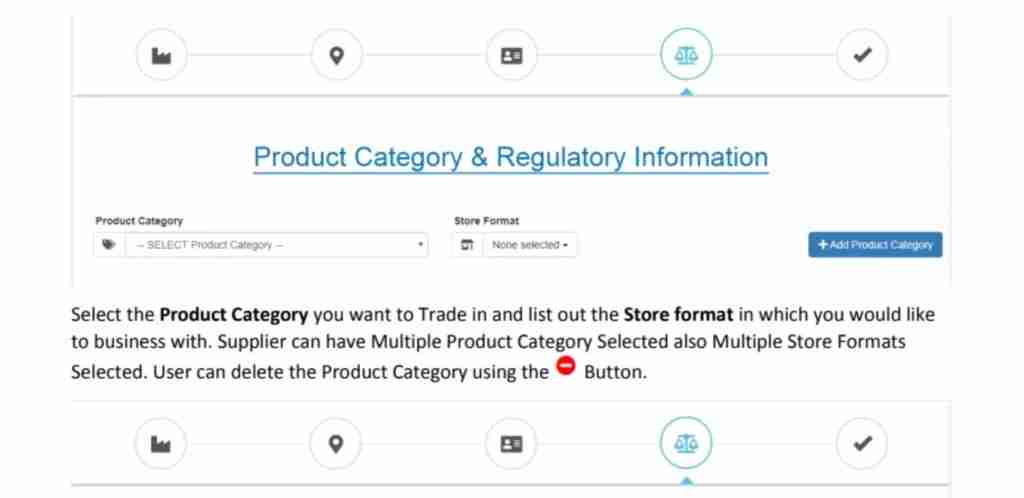
Download the category-specific bulk upload template from your AJIO seller portal. Fill in all mandatory fields: SKU, brand name, product name, size, colour, material, MRP, and selling price. Incomplete templates are rejected during upload.
Use relevant keywords naturally in product titles — for example, “Men’s Regular-Fit Kurta in Cotton — Navy Blue” is better than just “Men’s Kurta.” This improves your visibility in AJIO’s internal search as well.
Order Management on the AJIO Seller Portal
Once your products are live and orders start coming in, here’s how the order management flow works on the AJIO seller portal:
- Order Notification: You’ll receive an email and dashboard alert when a new order is placed.
- Confirm & Process: Log into the AJIO seller central login, go to the Orders section, and confirm the order. Pack the item as per AJIO’s packaging guidelines.
- Generate Invoice: Use the portal to generate a GST-compliant invoice for the order.
- Dispatch: Hand the package to AJIO’s designated logistics partner (for Dropship model) or ensure your B2B stock at AJIO’s warehouse is ready.
- Track & Close: Monitor shipment status from the portal. Once delivered, the order closes and payment is credited to your settlement cycle.
AJIO typically follows a weekly or bi-weekly payment settlement cycle. You can view your settlement statements and pending payouts from the Payments section of your seller portal dashboard.
Common Issues During AJIO Seller Registration & How to Fix Them
These are the most frequent problems sellers run into — and how to resolve them quickly.
| Issue | Likely Cause | Fix |
|---|---|---|
| Application stuck in review for over 15 days | Document mismatch or incomplete brand details | Contact AJIO seller support with your application ID and ask for a specific rejection reason |
| Document rejection — “name mismatch” | Business name on GSTIN doesn’t match bank account | Update your bank account to match the GST-registered business name, or get a GST amendment done |
| Brand not approved | No trademark certificate or insufficient authorization letter | If you own the brand, apply for trademark registration. If you’re a reseller, get a proper authorization letter on brand letterhead |
| OTP not received during AJIO seller login | Registered mobile number changed or network issue | Use the login page to update your contact details or reach AJIO support to update the registered number |
| Product listing rejected | Images don’t meet quality standards or mandatory fields are missing | Re-do images against AJIO’s category specs; download fresh template from portal and refill all mandatory fields |
| Payment not settled | Bank account verification pending or invoice issue | Verify bank details in portal; ensure all orders have GST-compliant invoices generated |
Quick Reference — AJIO Seller Registration Checklist
| Step | Action | Status |
|---|---|---|
| 1 | Collect GSTIN, PAN, Aadhaar, and cancelled cheque | ☐ Done |
| 2 | Arrange Trademark Certificate (or Brand Authorization Letter if reseller) | ☐ Done |
| 3 | Register at seller.ajio.com — verify email and phone via OTP | ☐ Done |
| 4 | Upload all documents — ensure names match across documents | ☐ Done |
| 5 | Complete brand approval and category mapping | ☐ Done |
| 6 | Await approval (7–15 working days) | ☐ Done |
| 7 | Set up AJIO seller login and explore seller portal dashboard | ☐ Done |
| 8 | Prepare product images (1000x1200px, white background) | ☐ Done |
| 9 | Download category template and upload product listings | ☐ Done |
| 10 | Choose B2B (JIT) or Dropship model | ☐ Done |
Need help getting your products listed on AJIO with catalog quality that meets AJIO’s standards? Our AJIO product listing and cataloging service handles the entire setup — from image preparation to bulk uploads — so your store goes live faster without the back-and-forth rejections.
Frequently Asked Questions About AJIO Seller Registration & Login
How do I register as an AJIO seller?
Visit seller.ajio.com, click Register, and fill in your business details. Upload your GSTIN, PAN, Aadhaar, and bank details. Complete brand approval and category mapping. Your AJIO seller account is typically activated within 7–15 working days of complete document submission.
What is the AJIO seller login URL?
The AJIO seller login page is at seller.ajio.com. Click “Login,” enter your registered email and password, and complete OTP verification to access your AJIO seller central dashboard.
What documents are needed for AJIO seller registration?
You need your GSTIN certificate, PAN card, Aadhaar card, and a cancelled cheque with matching business name. If you own a brand, add your Trademark Certificate. If you’re a reseller or distributor, you need a brand authorization letter from the brand owner.
How long does AJIO seller registration take?
AJIO seller registration typically takes 7–15 working days from the date all documents are submitted. Applications with incomplete documents or mismatched information take longer — sometimes 3–4 weeks.
What is AJIO seller central and how do I access it?
AJIO Seller Central is the dashboard at seller.ajio.com where you manage listings, orders, inventory, payments, and performance reports. Access it using your AJIO seller central login credentials (the email and password you set during registration).
What are AJIO’s commission rates?
AJIO’s commission structures vary by category. Clothing categories typically attract 15–22% commission, footwear 12–18%, and home/lifestyle products 10–18%. Always check the latest rates in your seller portal as they are subject to change.
Can I sell on AJIO without a trademark?
Yes, but you’ll need a valid brand authorization letter from the brand owner if you’re a distributor or reseller. If you’re selling under your own label without a registered trademark, AJIO may require additional brand documentation. Having a trademark registration significantly speeds up the approval process.
What is the difference between AJIO B2B and AJIO Dropship?
In AJIO B2B (JIT), you supply inventory in bulk to AJIO’s warehouse and AJIO handles final delivery to customers. In AJIO Dropship, you fulfil each order directly from your own stock and arrange shipping. Dropship is generally easier for new sellers; B2B suits established sellers with consistent inventory.